Start with a simple subject
Choose a photo, illustration, or transparent PNG. To convert a picture to pixel art, start with a clear silhouette and a quiet background. Small details disappear on a small grid.
 MotifPad. A little image. A new perspective.
THE IMAGE WORKSHOP
Less detail. More character. Convert an image to pixel art,
adjust your grid and colors, then make it yours to keep.
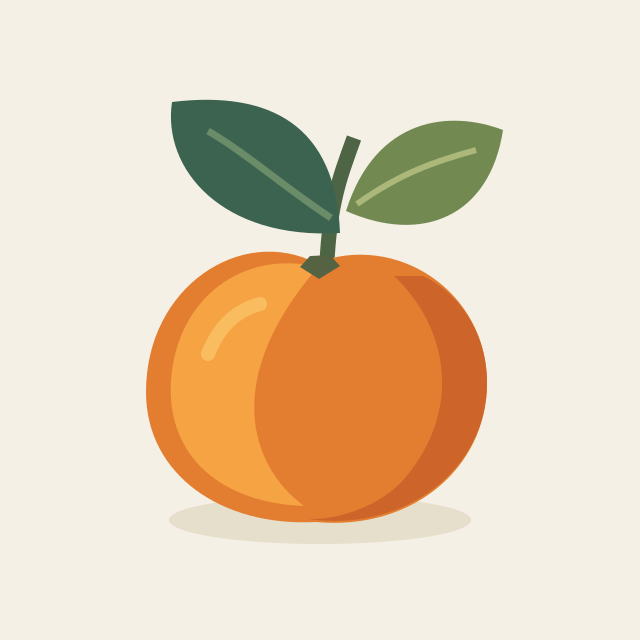 ORIGINALPIXEL ART
Your PNG is ready. Choose how you want to use it.
Example loaded. Try a different size or make it your own.
Make a Perler bead pattern →Plan a tapestry crochet chart →Create an open-and-filled filet chart →FROM PICTURE TO PIXELS
Three small steps. A completely different look.
Choose a photo, illustration, or transparent PNG. To convert a picture to pixel art, start with a clear silhouette and a quiet background. Small details disappear on a small grid.
This pixel art converter reduces your image to a smaller grid and a limited palette. Try 32 pixels first, then adjust the color limit. Compare with the original as you go.
Download a sharp PNG for screens or a numbered PDF for printing. Turning a picture into pixel art takes a little experimenting; you can keep adjusting before you download.
A FEW PIXELS CHANGE EVERYTHING
One original illustration. Three actual conversions.
All shown with a 16-color limit.
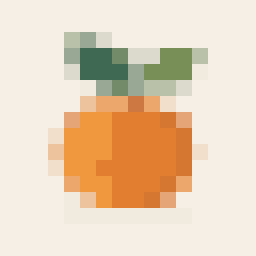 256 PIXELS
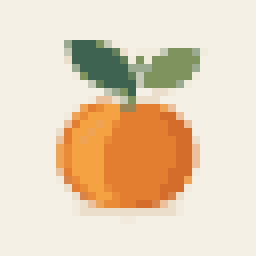 1,024 PIXELSA GOOD START
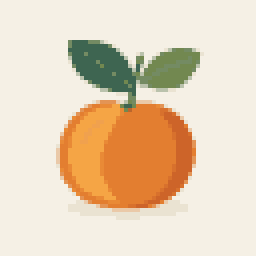 4,096 PIXELS
Fewer colors, clearer shapes. A pixel art maker from an image works best when you choose what to keep. A small palette groups similar shades; a larger palette preserves more of the source. Dithering adds texture, but can make a tiny grid feel busy.
OFF THE SCREEN, IF YOU LIKE
The same design, two useful formats. Keep the image as pixels, or put your pixel art on a grid you can follow by hand.
Make your ownSQUARE PIXELS. NATURAL SHAPES.
When you convert a picture to pixel art, a square grid does not have to mean a stretched picture. Leave the proportion lock on to match the grid to your image.
For a different shape, unlock the dimensions. Fit entire image adds space around the subject; Center crop fills the grid and trims the edges. This picture-to-pixel converter never stretches the source to fill a mismatched grid.
THE FINER DETAILS
A few things worth knowing
before your first download.
Choose a PNG, JPG, or WebP, select a grid size, and lower the color limit until the subject reads clearly. The image to pixel art converter updates the preview automatically. Use Compare to check what changed, then download the result.
Image viewers often smooth small images when enlarging them. Choose the enlarged PNG to preserve hard pixel edges. When resizing elsewhere, use nearest-neighbor scaling and a whole-number multiplier, such as 4× or 12×.
Yes. Leave Preserve transparency enabled for transparent PNG or WebP files. The converter turns partially transparent edges into either opaque or clear pixels at a 50% opacity threshold. Clear cells are excluded from the color count and remain blank in the PDF. This does not remove a solid background from a photo.
It works from the image you provide, reducing its resolution and colors. It does not generate pictures from text or offer a freehand drawing editor. The examples on this page are original illustrations prepared for this tool.
Your image is processed in this browser and is not uploaded to a server. When you follow a link to the spreadsheet tool in this tab, your image and settings transfer through temporary browser storage. The transfer is cleared after it is read; unused transfers expire after one hour and are cleaned up on the next transfer. Reloading without a transfer starts fresh. Download anything you want to keep. Input is limited to 20 MB and 24 megapixels; output grids are limited to 8–128 pixels per side.
Start at 16 or 32 pixels with a small palette. A simpler picture to pixel art conversion is easier to follow on paper. The PDF numbers rows and columns; it is a visual grid, not a verified bead, crochet, or material-specific pattern.
Working with stitched beads? Create an editable kandi chart with shifted brick-stitch rows.